
Region Blocking
One small (but useful!) feature we added to the Basic+ editor was the use of “region blocks” to help with code organization in large programs. The blocks group together related sections of code under a descriptive name so they may be navigated and handled more easily (those of you who have programmed in other languages such a C# and C++ might be familiar with this concept already).
Essentially region blocks are simply a pair of statements ( “#region” and “#endregion”) that you insert before and after a block of code to define it, along with a name that describes the region. Once you have done this the entire region becomes a “fold point”, so it can be folded to hide it, and it also appears as a “jump point” in the editor navigation dropdown so you can get to it quickly.
E.g.
#region ScrollMode

// Here's some code for handling the ScrollMode property in the FormDes etc...
onParseStruct_HandleScrollMode:
   if bitAnd( psPSStyleEx, PSSX_VIEW_SCROLLMODEPAGING$ ) then
      psWinStyle = bitOr( psWinStyle, WS_VSCROLL$ )
   end
return

// More stuff ....
#endregion ScrollMode
This now becomes a fold point in the editor:
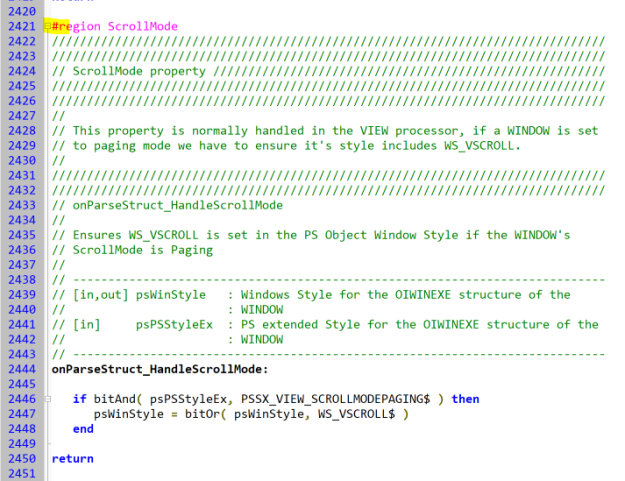
Region Folding
And can be jumped to in the navigation dropdown like so:

Region Dropdown
So, if you do have some programs with large amounts of code hopefully this feature might help find your way around it quicker.